Menu Template:
Blue Navigation Bar Buttons


 |  |  |  |
Front Page Button In Blue
This menu is generated by Expression Web Menu.
Create your own menu now!

| | | |
This menu is generated by Expression Web Menu.
Create your own menu now!


To install the popup menu into your html page you should do the following things:
1). Create and save your buttons in any temp folder using Vista Buttons application. You canuse "Save as HTML" function.

You can enter any name you like, for example enter "menu":

So you'll have menu.html file and "menu-files" folder with all menu files.

2). You can add javascript popup menu to a single page or to many pages using Shared Borders, Include Page or Dynamic Web Template so that you won't have to add it into each page separately.
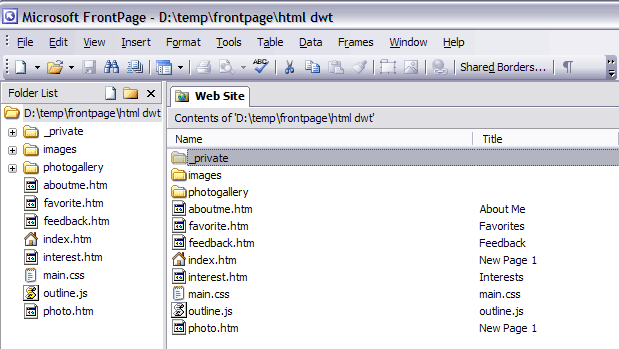
- Start FrontPage and open your website. When the website opens, it should look like this:
- To create the Dynamic Web Template you should do the following things:
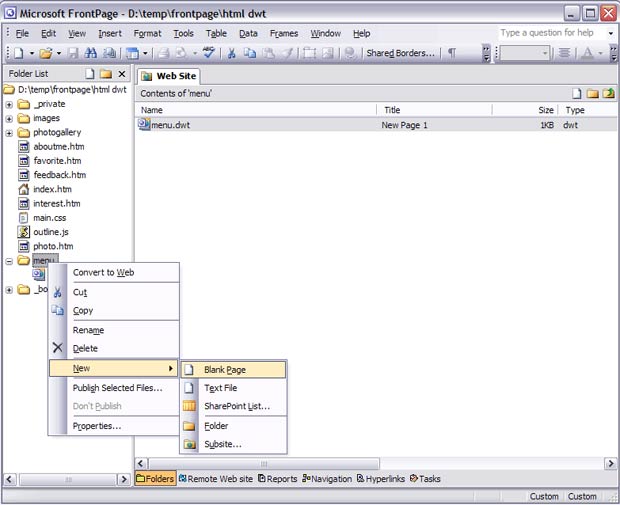
Create a new folder in the root of your website, for example "menu". In this folder create a new Blank Page and name it menu.dwt.
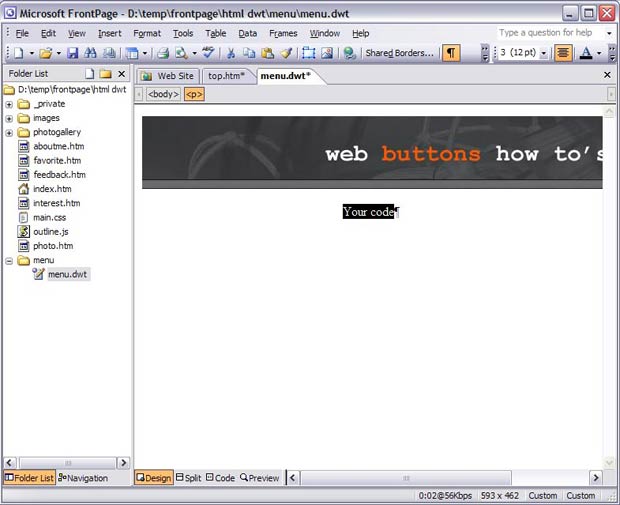
- Now you can add a menu in Dynamic Web Template. Open menu.dwt page (double-click menu.dwt in Folder list window) and switch to the Design view mode. Decide where you would like the popup menu to appear in your page. Click in the spot you want the code to appear in and type the phrase: your code
- Open the generated in Vista Buttons menu.htmlpage in any text editor. Copy all code within the following tags:
<!-- Begin Vista-Buttons.com -->
...
<!-- End Vista-Buttons.com -->
- We will now be inserting the JavaScript code into the body section right where we typed the phrase in the previous step. To do this, switch to HTML View.
- Go to the "Edit Menu" with FrontPage and select the "Paste" option to paste the menu code that we copied to the clipboard earlier. Since the phrase we typed was highlighted, it will be replaced when we paste the code in.
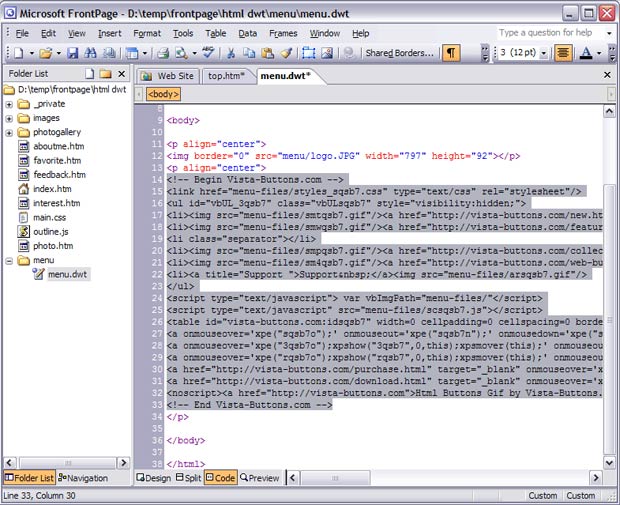
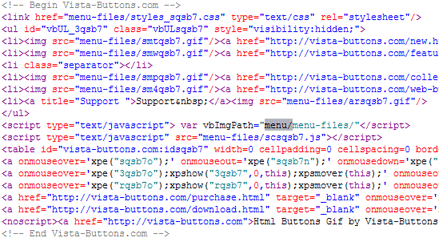
- To display the mouseover state images correctly you should change vbImgPath parameter. Find the following code
var vbImgPath="menu-files/"
and change it to
var vbImgPath="menu/menu-files/"
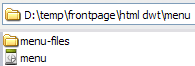
- Now you should copy the "menu-files" folder into the same folder with your menu.dwt page.
- Select the Preview mode to display the menu.dwt page live (in Internet Explorer). Notice that your mouseover images can be not displayed when you hover over menu items in the Preview mode. It is normal. You'll see all images when you open index.htm page in the Preview mode.

- Add editable regions to a Dynamic Web Template.
a. Open the Dynamic Web Template (.dwt) file.
b. In Page view, at the bottom of the document window, click Design.
c. Put your cursor below the menu
d. Right-click and then click Manage Editable Regions.
e. In the Region name box, type a name for the editable region, for example, Header, Body, or Footer.
f. Click Add, and then click Close.
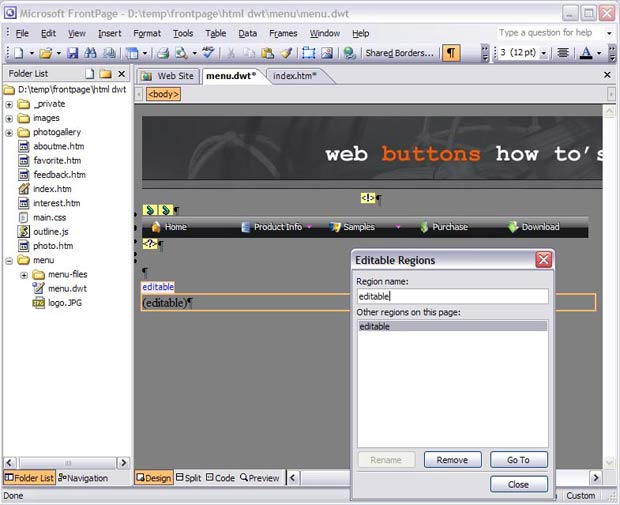
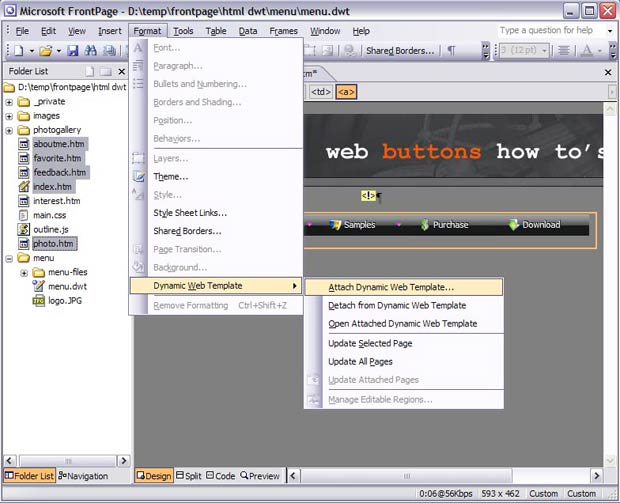
- Attach a Dynamic Web Template to your pages.
a. Open the Web page you want to attach a Dynamic Web Template to.
To attach the Dynamic Web Template to more than one page, select the pages you want.
* In the Folder List, hold down CTRL and click each page you want.
* If the Folder List is hidden, click Folder List on the View menu.
b. On the Format menu, point to Dynamic Web Template, and then click Attach Dynamic Web Template.
c. Locate and click the Dynamic Web Template (menu.dwt) you want to attach, and then click Open.
d. In the appeared windows click "Ok" and then click "Close".
- That's all. You've added all necessary code to your page, so let's test it. Open your index page (double-click index.htm in Folder list window) and switch to the Preview mode.
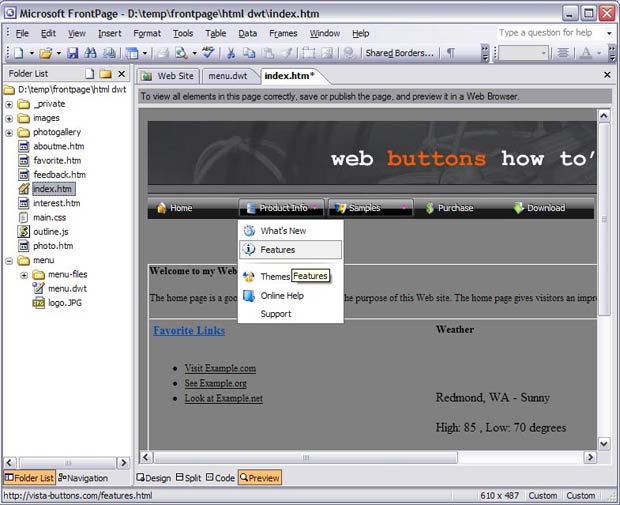
- If everything goes well, save and publish your website. If something seems wrong, double-check that you followed all the steps correctly.
- If you still run into trouble, we'd be happy to assist you further. You can post your problem to us at  , and meanwhile describe your files in details.
(please include template name in the message title)