Expression Web Menu Add In Screenshots


Video Tutorial


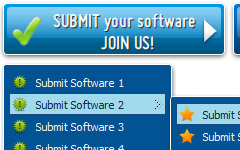
The Vista Buttons add-in for Expression Web and Frontpage allows you to create powerful dropdown menu menus, directly in Expression Web, FrontPage 2000 (version 9), Microsoft FrontPage 2002 (version 10), Microsoft Office FrontPage 2003 (version 11). Fully customizable appearance! Use one of the 500+ web buttons, 100 submenu designs, 6600+ icons, 50 ready-made samples, or create your own using the theme editor. With support for custom images, icons, colors, font styles, the possibilities are limitless. You'll create really nice looking website html menus and html buttons with little or no design skills at all! Create, insert, modify a website menu without leaving your favorite web development environment!


Menu, Button, and Icon Collection

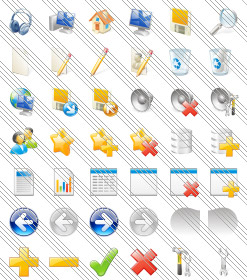
Expression Web Menu provides huge collection of 1400 web buttons, 6600 icons, 300 ready-made samples, so you'll create really nice looking menus and buttons with little or nodesign skills at all! Web 2.0, Mac, iPhone, Aqua buttons, Vista, XP, transparent, round, glossy, metallic, 3d, tab menus, drop down menus will be a breeze!

Button and Icon Samples

Features

Integration with popular web authoring software.
Expression Web Menu integrates with Dreamweaver, FrontPage, and Expression Web as an extension/add-in. Create, insert, modify a menu without leaving your favorite web design framework!

Display Properly In Expression Web Great Looking Web Navigation with Minimum Effort
Expression Web Menu provides 500+ web buttons, 100 submenu designs, 6600+ icons, 50 ready-made samples, so you'll create really nice looking website html menus and html buttons with little or no design skills at all! Vista, XP, Win98, Mac, Aqua buttons, round, glossy, metallic, 3d styles, tab menus, drop down menus will be a breeze!

Roll Overs In Frontpage Express Cost Effective
Stop paying month-to-month subscription to web image and icon collections! Don't waste your money on licenses for every new domain where you want to place the menu! Pay once, use for life, anywhere!

Hyperlink Button Shape Expression Blend Expression Web Menu Add In Padding and Spacing
Specify various values for padding and spacing for the whole menu and for each separate submenu.

Size
You can set the size of the menu in pixels.

Export graphic picture
Using Expression Web Menu you can save menu graphic picture as gif-files (*.gif).


2.0 Buttons by Web-Buttons.com v3.0.0

How to use Vista Buttons with FrontPage


    Vista Buttons wasn't developed as Frontpage extension,BUT you can use it as standard Javascript files. To install the menuinto your html page you should do the following things:

    1). Create and save your buttons in any temp folder using Vista Buttons application. You canuse "Save as HTML" function.

    Save Frontpage menu

    You can enter any name you like, for example enter "menu":

    Save Frontpage menu name

    So you'll have menu.html file and "menu-files" folder with all menu files.

    Generated files

    2). You can add javascript drop down menu to a single page or to many pages using Shared Borders, Include Page or Dynamic Web Template so that you won't have to add it into each page separately.



Support

Please contact Customer Support at (please include template name in the message title)




FAQ


See also

The Silverlight Blog - Home With Expression Web 3, you can easily add Silverlight content, in this case from Expression Blend, to your Web sites. In this example, well be adding a navigation menu

Advanced CSS Drop Down Menu Expression Web Add-In 1.5.3 Download Advanced CSS Drop Down Menu Expression Web Add-In 1.5.3 Download - Professional horizontal and vertical CSS drop down menus for Expression Web

Frontpage Menu Add In Download - Create a dropdown menu in Vista Buttons Menu Add-in for Frontpage (Expression Web) allows you to create modern, fast, and powerfull menu navigation, directly in Frontpage. Create, modify, add web

Adding a Dropdown Menu To a Web Page See how easy it is to add cool automatic navigation to your web page.

Expression Web Templates - FREE Expression Web Templates CSS Express Drop-Down Menus - one of my favorites. Advanced CSS Drop Down Menu - Expression Web is an Expression Web add-on that completely automates the process of creating

Creating a Jump menu in Microsoft Expression Web 2 Creating a Jump menu in Microsoft Expression Web 2 with a list of links that link to files, documents or web sites. You can add a

Frontpage Menu Add In Download - Create a dropdown menu in Vista Buttons Menu Add-in for Frontpage (Expression Web) allows you to create modern, fast, and powerfull menu navigation, directly in Frontpage. Create, modify, add web

Products - CSS Menu Tools. Expression web add-ins, Dreamweaver CSS Menu Tools - Expression web add-ins, Dreamweaver extensions for CSS site navigation.

Accordion Menu Advancer - Expression Web Add-in - CSS Menu Tools Expression Web add-in - Advanced Accordion CSS Menu Maker with intuitive GUI and many predefined styles

Drop Down Menu Builder Works as Add-ons to Create Navigation Bar Drop down menu builder helps you to create horizontal or vertical JavaScript menu, DHTML menu for web navigation without coding. Rich resources include template, pre-made

Expression Web Add-ins - Add-ins and Tools for Expression Web Advanced CSS Drop Down Menu - Expression Web . Advanced CSS Drop Down Menu - Expression Web is an Expression Web add-in that completely automates the process of creating and

Expression Web Menu Template The Vista Buttons add-in for Expression Web and Frontpage allows you to create powerful dropdown menu menus, directly in Expression Web, FrontPage 2000 (version 9

Expression Web menus using CSS Add RSS to Expression Web; Expression web forms; Contact; RSS feeds; 10 Tips Styling the vertical menu using CSS. In our previous Expression Web tutorial, we learnt how

The Silverlight Blog - Home With Expression Web 3, you can easily add Silverlight content, in this case from Expression Blend, to your Web sites. In this example, well be adding a navigation menu

Drop Down Menu Builder Works as Add-ons to Create Navigation Bar Drop down menu builder helps you to create horizontal or vertical JavaScript menu, DHTML menu for web navigation without coding. Rich resources include template, pre-made

Frontpage Menu Add In Download - Create a dropdown menu in Vista Buttons Menu Add-in for Frontpage (Expression Web) allows you to create modern, fast, and powerfull menu navigation, directly in Frontpage. Create, modify, add web